Custom firmware · E-Ink
nous
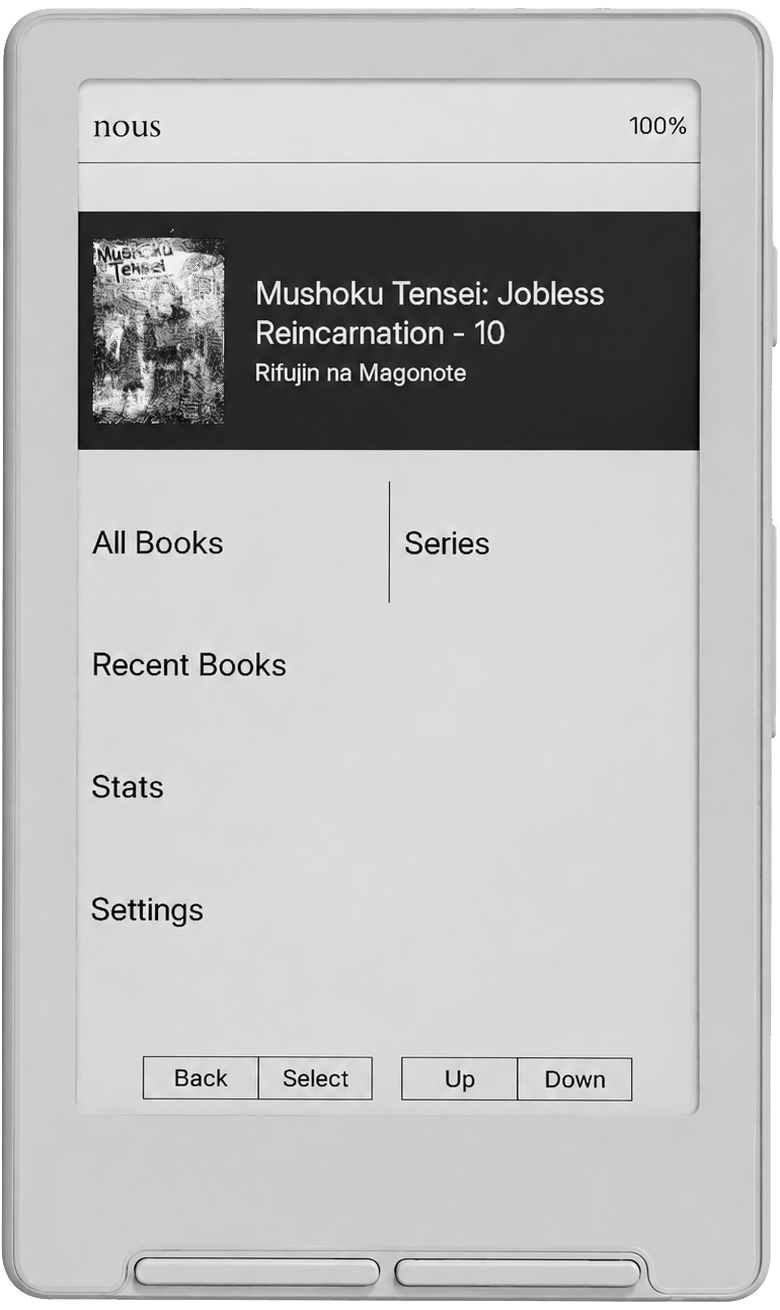
A clean, quick firmware for e-ink readers.
No wireless, no accounts, no overhead.
Features
01
Fast start
Powers on and opens to your library in under 1.5 seconds. No splash screen.
02
Near-instant pages
Page turns and book opens the moment you press. Refresh tuned to keep the gap as short as possible.
03
Flat library
Drop books anywhere on the SD card. No folder structure required.
04
Series view
Groups books by series automatically. Navigate volumes in order.
05
Button controls
Front and side button directions toggle independently for menus and while reading. Power button behaviour is also configurable.
06
Stats
Per-book and library-wide stats: reading time, time remaining, pages per minute, session count, and more.
07
Hidden shelf
Hold back for three seconds to open a private library. Books live in .hidden on the SD card.
08
EPUB reader
Custom fonts, margins, and line spacing. Handles varied EPUB formatting.
09
Picks up where you left off
Turn off while reading and the device returns to that exact page next time.
10
Custom sleep screen
Set your own image as the screen shown when the device is asleep.
11
Stripped down
No wireless, no telemetry. Fewer moving parts means fewer things to slow it down.
Also includes
Finished book tracking
Book complete dialog
Finished books sorted to bottom
Sunlight fading fix
Atomic save for settings & index
Corrupt file protection
SD card index backups
Font scaling in book lists
02 / DETAILS
Built
for the
page.
Reading first
The library opens immediately. Open a book and the interface gets out of the way.
No organisation needed
Books are indexed on first run. Dump them anywhere and Nous will find them.
Your fonts
Use the Font Converter to build a font pack from any TTF or OTF and load it onto the device.
Local only
Everything lives on the SD card. USB transfer, no cloud dependency.
System details
03
Device
Xteink X4
Display
Monochrome E-Ink · 480 × 800
Format
EPUB
Library
Flat scan · Series grouping · Hidden shelf
Typography
Font · Size · Margin · Line spacing
Connectivity
USB only — no WiFi, no Bluetooth
License
GPL-3.0
Nous —
STABLE RELEASE · XTEINK X4 · GPL-3.0
Browser install · WebSerial · Chrome / Edge only
Install directly
Connect your Xteink X4 via USB and flash the latest Nous release from your browser. No file download required.
Flash engine originally by daveallie,
extended by CrossPoint.
Before you flash — check the list of
approved and flagged firmware.
Flashing unapproved firmware can permanently brick your device.
Some international Xteink devices, including most from AliExpress, ship with USB flashing disabled.
The SD card method gets CrossPoint onto a locked device in a few minutes.
It won't unlock USB flashing, but it will run custom firmware.
Stuck on a firmware that doesn't support SD flashing? Use the
OTA Unlocker Tool.
Flash at your own risk. I am not responsible for bricked devices, data loss, or any damage
resulting from the use of this tool.